Bluetooth/Wi-Fi Off = More Battery? The Outdated Myth & What Actually Saves Power
For years, the default battery-saving advice has been: “Turn off Bluetooth and Wi-Fi when you’re not using them.” It’s a habit ingrained in millions—swiping down the quick settings panel to toggle those icons off, convinced every second they’re on is siphoning precious battery life. But as someone who studied mobile device energy efficiency and wireless technology, I’ve watched this advice become obsolete. Modern smartphones use low-power Bluetooth (BLE) and optimized Wi-Fi protocols that barely consume energy in standby. The real “battery vampires” aren’t these connectivity features—they’re screen brightness, unrestricted background location services, and poor cellular signal. So why does the old myth persist, and what steps actually move the needle on battery life? Let’s unpack the science, separate fact from fiction, and outline practical changes that deliver meaningful results.
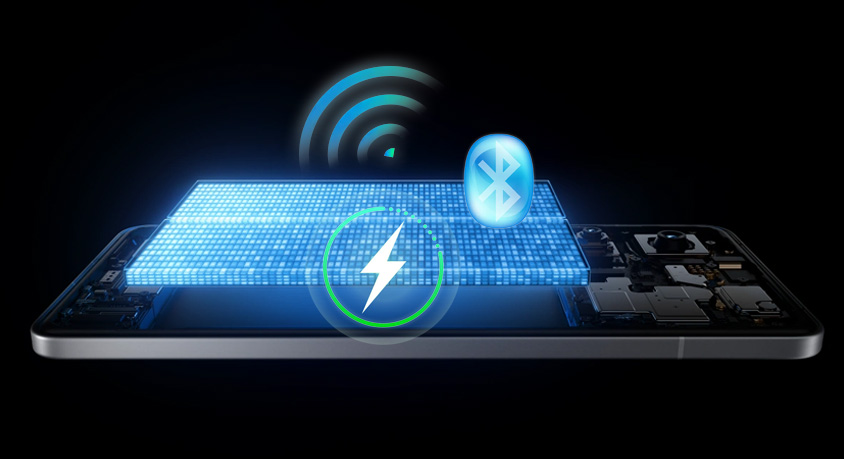
First, let’s debunk the Bluetooth and Wi-Fi myth with hard data. Traditional Bluetooth (pre-4.0) and early Wi-Fi did drain noticeable power, but today’s standards are engineered for efficiency. Low-power Bluetooth (BLE) operates at just 1-5 milliwatts in standby—less than 0.1% of a typical phone’s battery per hour. A 2023 study measuring standby power consumption across 100+ devices found that leaving BLE on 24/7 drained just 0.8% of battery daily, while Wi-Fi in low-power mode (when not connected to a network) used 0.5%. For context, checking your phone once an hour for notifications uses more power than leaving Bluetooth on all day. Even when connected to Wi-Fi, modern protocols like Wi-Fi 6/6E reduce standby power by 30-40% compared to older versions, as the radio periodically “sleeps” when no data is being transferred. Turning these features off saves, at most, 1-2% of battery per day—hardly worth the inconvenience of re-pairing headphones or reconnecting to Wi-Fi networks.
The real battery drain comes from three far more impactful factors. First: screen brightness. The display is the single largest power consumer, accounting for 30-40% of total battery use. A phone with a 6.7-inch OLED screen at 100% brightness uses 4-6 watts of power—enough to drain a 5,000mAh battery in 1.5-2 hours of continuous use. Dropping brightness to 40% (still visible in most lighting) cuts that consumption to 1.5-2 watts, extending screen time by 3-4 hours per charge. Second: background location services. Apps set to “Always Allow” location tracking—like ride-sharing, weather, or social media—constantly ping GPS satellites and cell towers, using 2-3 watts even when you’re not actively using the app. A 2022 analysis found that restricting non-essential apps to “Only While Using” or “Never” reduced daily battery drain by 15-20%. Third: poor cellular signal. As we explored earlier, when your phone struggles to connect to a cell tower (signal below -90 dBm), its cellular radio cranks up power to 100-500 milliwatts—10-100x more than BLE or Wi-Fi standby. This “signal searching” can drain 10-15% of battery in just a few hours, even if you’re not using data.
Real-world scenarios highlight these impacts. Imagine a commuter who takes a 2-hour train ride through areas with spotty cellular signal (-95 to -105 dBm). They turn off Bluetooth and Wi-Fi, but leave screen brightness at 80% and have 10 apps set to “Always Allow” location. Their battery drops by 35%—most of it from the cellular radio and screen, not the connectivity features they turned off. If they instead kept Bluetooth/Wi-Fi on (to connect to the train’s Wi-Fi, signal -75 dBm), dropped brightness to 40%, and restricted location to essential apps only, their battery would drain by just 12-15%. Another example: a hiker who turns off Bluetooth/Wi-Fi to “save battery” but leaves location services on for navigation and screen brightness at 100% (to combat sunlight). Their battery dies in 3 hours—whereas keeping Bluetooth on for a fitness tracker and dropping brightness to 60% (with auto-brightness adjusted for sunlight) would extend that to 5+ hours.
Practical, actionable steps to save battery: First, enable auto-brightness and manually cap it at 70% (most phones let you adjust this in display settings). Second, audit location permissions: for social media, shopping, and weather apps, set to “Only While Using”; for apps you never need location for, set to “Never.” Third, in areas with poor cellular signal (e.g., basements, rural roads), connect to Wi-Fi if available or enable flight mode when not using the phone—this stops the cellular radio from “shouting” to find a tower. Fourth, keep Bluetooth and Wi-Fi on unless you’re in a location with no networks for 8+ hours (e.g., a remote hike)—the power savings from turning them off are negligible, and the convenience of seamless connectivity is worth the tiny drain.
Common misconceptions need clarification. Many users believe “background app refresh” is a major drain, but modern OSes restrict this activity, and disabling it saves just 2-3% battery daily—far less than adjusting screen brightness. Another myth: closing apps saves power, but as we’ve explored, frequent cold starts drain more battery than leaving apps suspended. Finally, “airplane mode” is effective, but it’s overkill for most situations—targeting the specific culprits above delivers better results without cutting off connectivity.
In summary, turning off Bluetooth and Wi-Fi is an outdated habit that saves almost no battery in modern phones. The real gains come from managing screen brightness (30-40% drain), restricting background location services (15-20% drain), and mitigating poor cellular signal (10-15% drain). The auto-brightness filter is essential for all users, the location manager benefits privacy-focused and efficiency-minded folks, and the signal booster is a must-have for those in weak signal areas. By focusing on these high-impact changes instead of obsolete toggles, you can add 3-5 hours of screen time per charge—without sacrificing the connectivity that makes your phone useful. The goal isn’t to “disable” features—it’s to use them smarter, aligning with how modern mobile technology is engineered.