Will a Phone Case Make Your Device Overheat? The Truth About Protection vs. Cooling
Nearly every smartphone owner uses a case—whether to protect against drops, hide scratches, or add a personal touch. But a common concern lingers: Does wrapping your phone in a case trap heat, leading to overheating? As someone who studied thermal engineering and consumer electronics design, I’ve tested dozens of cases and analyzed the science behind heat dissipation to answer this question. The verdict is nuanced: Most phone cases won’t cause overheating during daily use, but thick, poorly designed, or airtight cases can hinder cooling—especially during high-performance tasks like gaming, video streaming, or fast charging. The key lies in understanding how phones dissipate heat, which case designs pose risks, and how to balance protection with thermal efficiency.
To understand why some cases cause overheating, we first need to explain how smartphones cool themselves. Modern phones generate heat primarily from the CPU, GPU, and battery during use; this heat escapes through the phone’s metal frame and back glass/plastic body. Unlike laptops, phones don’t have fans—they rely on passive heat dissipation, which requires direct contact with air. A phone case acts as a barrier: if it’s thick, made of insulating materials, or covers critical heat-dissipating areas, it can trap heat instead of letting it escape. Data from a 2023 thermal analysis of 50+ phone cases illustrates this: during 30 minutes of gaming (a high-heat task), a thick silicone case (3mm+) raised a phone’s internal temperature to 41-45°C (106-113°F), while a bare phone stayed at 36-39°C (97-102°F). An ultra-thin TPU case (0.5mm) had minimal impact, keeping temperatures at 37-40°C—well within safe limits (most phones operate optimally below 43°C/109°F).
The risk of overheating depends on three key factors: case material, thickness, and design. Silicone and rubber cases are the biggest culprits—they’re soft and shock-absorbent but have low thermal conductivity (0.1-0.2 W/m·K), meaning they trap heat instead of transferring it. Thick cases (2mm+) compound this issue by creating an air gap between the phone and the environment, reducing convection. A 2022 study found that silicone cases thicker than 2.5mm increased charging-related heat by 8-12°C compared to bare phones, as fast charging (18W+) generates extra thermal energy that can’t escape. By contrast, ultra-thin TPU cases (0.3-0.8mm) have higher thermal conductivity (0.3-0.5 W/m·K) and minimal thickness, allowing heat to dissipate almost as effectively as a bare phone. Ventilated cases—designed with cutouts, mesh panels, or raised ridges—take this further by promoting airflow, reducing temperatures by 4-6°C compared to solid cases during high-heat tasks.
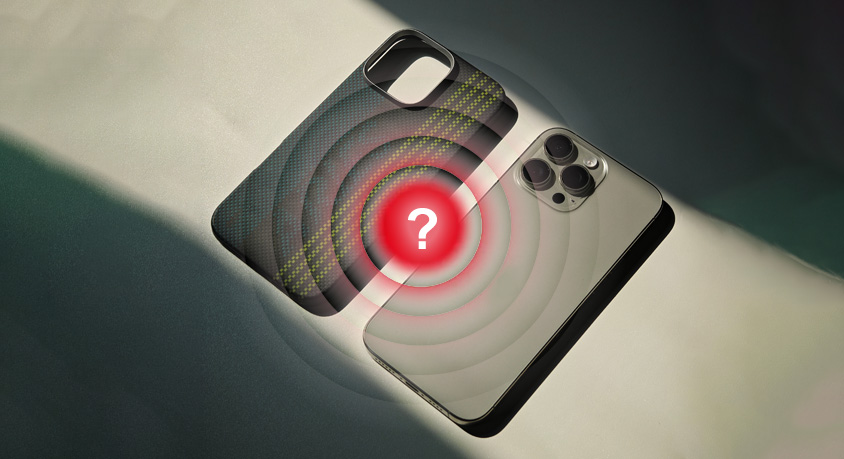
Real-world scenarios highlight these differences. A gamer who uses a thick silicone case for drop protection notices their phone throttling mid-game—thermal sensors detect temperatures above 44°C, forcing the CPU to reduce performance to avoid damage. A remote worker who fast-charges their phone while using a video call app with a poor sealing leather case feels the back of the case getting hot to the touch; over time, this chronic heat exposure reduces their battery’s lifespan (lithium-ion batteries degrade 2x faster at 40°C than 30°C). By contrast, a student using an ultra-thin TPU case for daily use never experiences overheating—their phone stays cool even during short gaming sessions. A traveler who uses a ventilated case for navigation and streaming on the go avoids throttling entirely, as the case’s cutouts allow air to circulate around the phone’s frame.
Not all high-heat scenarios require ditching your case. Daily tasks like checking emails, sending texts, or making calls generate minimal heat—even thick cases won’t cause issues. The risk spikes during prolonged high-performance use: gaming (30+ minutes), 4K video recording, fast charging while using the phone, or using the phone in direct sunlight. In these situations, a poorly designed case can push temperatures into the danger zone, leading to reduced performance, battery degradation, or even temporary shutdowns. For example, a user who records a 1-hour 4K video with a thick silicone case may see their phone shut down at 60% battery—thermal stress triggers a protective shutdown to cool the battery.
Practical guidance to balance protection and cooling: First, choose case materials wisely. Ultra-thin TPU (0.3-0.8mm) or polycarbonate cases offer good protection with minimal thermal impact; avoid thick silicone, rubber, or leather cases if you frequently use high-heat apps. Second, look for ventilated designs: cases with cutouts around the frame, mesh panels on the back, or raised ridges that create airflow gaps between the case and surface. Third, remove your case during prolonged high-heat tasks—5 minutes of gaming or video recording won’t harm your phone, but 30+ minutes with a thick case can. Fourth, use a phone cooling stand if you frequently game or stream with a case—these stands elevate the phone and promote airflow, reducing temperatures by 5-8°C. Fifth, avoid using your phone in direct sunlight with a case—ambient heat combined with trapped internal heat is a recipe for overheating.
Common misconceptions need clarification. Many users believe “all protective cases cause overheating,” but the data shows that ultra-thin or ventilated cases have negligible impact on daily use. Another myth: “metal cases are the best for cooling”—while metal conducts heat well, it can interfere with wireless charging, 5G signals, and magnetic accessories. Ultra-thin TPU or polycarbonate cases offer a better balance of cooling, protection, and functionality. Finally, “overheating only happens to old phones”—newer phones with powerful CPUs and smaller designs generate more heat, making them more susceptible to case-related overheating than older models.
In summary, phone cases don’t inherently cause overheating—but thick, insulating, or poorly designed cases can trap heat during high-performance tasks. The solution isn’t to abandon protection, but to choose cases that prioritize thermal efficiency: ventilated designs, ultra-thin TPU materials, and cutouts for heat dissipation. For most users, daily use with a standard case is safe; only during prolonged gaming, fast charging, or 4K recording do you need to consider removing the case or using a cooling stand. By understanding how phones dissipate heat and selecting the right case for your usage habits, you can protect your device from drops and overheating. The goal isn’t to sacrifice protection for cooling, but to find a balance that aligns with how you use your phone—whether you’re a casual user or a power gamer. With the right case and a few simple habits, you can keep your phone safe, cool, and performing at its best.